Hosting Tiers Hub (8)
Migrating PrestaShop From Shared Hosting to KVM VPS Cleanly
Step-by-step cutover checklist for moving database dumps, Symfony var/cache, Varnish/Redis configs, and DNS TTLs.
TTL 300s · mysqldump --single-transaction · var/cache clear
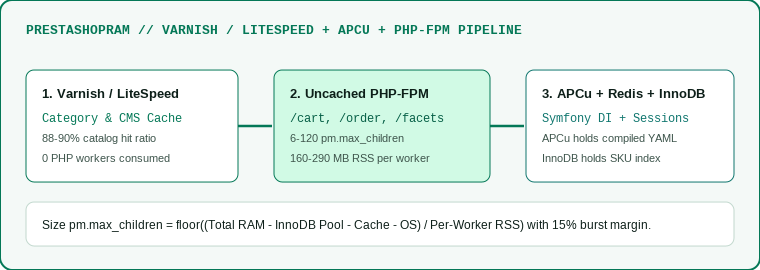
Pre-Staging php-fpm.conf and my.cnf Before DNS Cutover
Generate your target php-fpm.conf and my.cnf from PrestaShopRAM before importing your SQL dump. Importing a 100,000-SKU catalog into an already-sized 4-8 GB InnoDB buffer pool runs 5x faster than using default 128 MB settings.
Clearing var/cache/prod After PHP Version Upgrades
Always delete var/cache/prod/* and verify app/config/parameters.php database credentials during maintenance-mode sync so the Symfony container recompiles cleanly for the new PHP 8.2/8.3 binary.
Measured Thresholds & Configuration
| Cutover Phase | Key Command / Action | Downtime Impact |
|---|---|---|
| 1. DNS Prep | Lower A record TTL to 300s 24h early | 0 min |
| 2. DB Snapshot | mysqldump --single-transaction | 3-5 min maintenance |
| 3. Warmup | Clear var/cache/prod & warm Varnish | < 1 min cutover |